Smart Business Cards with QR Codes
Make networking effortless. One scan adds your contact info directly to their phone.
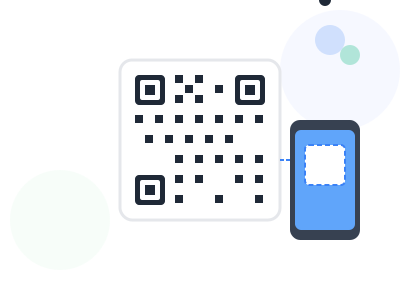
In today's fast-paced business world, exchanging contact information should be instant and error-free. QR codes on business cards eliminate the friction of manual contact entry and ensure your information is saved correctly.
Create a QR code that contains your complete contact information - name, title, company, phone, email, website, and social profiles. When scanned, it automatically adds you to their contacts with one tap.
Stand out from the stack of business cards on someone's desk by making it incredibly easy for them to save and find your information when they need it.
Key Benefits
Why professionals choose our qr code generator
Instant Saving
Contact info saved with one scan and tap
No Typos
Email and phone numbers transfer perfectly
Complete Profile
Include website, social links, and more
Modern Image
Show you're tech-savvy and forward-thinking
How It Works
Get started in just a few simple steps
Enter Contact Info
Add name, title, company, phone, email, website
Add Social Links
Include LinkedIn, Twitter, or other profiles
Style Your Code
Match colors to your brand identity
Download for Print
Get print-ready files for your business cards
Feature Comparison
See what's included in free and premium plans
| Feature | Free | Premium |
|---|---|---|
| vCard format | ||
| Social media links | ||
| Custom colors | ||
| Logo integration | ||
| High-res export |
Pro Tips
Get the most out of qr code generator
- Keep the QR code at least 0.75 inch square on business cards
- Use vCard format for maximum compatibility across devices
- Test the code before printing a batch of cards
- Consider placing on the back of the card for a clean front design
Frequently Asked Questions
Everything you need to know about qr code generator
We generate vCard format QR codes, which are universally compatible with iOS and Android devices for adding contacts.
You can include name, title, company, phone numbers, email, website, physical address, and notes. Some fields are optional.
Yes, vCard QR codes work on virtually all modern smartphones. The contact information will be recognized automatically when scanned.
Ready to Get Started?
Join thousands of professionals using our qr code generator.
Create Contact QR