Expense Reports Made Effortless
Turn a stack of receipts into an organized expense report in minutes, not hours.
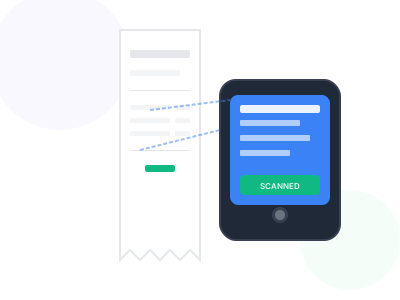
Business travel and client entertainment shouldn't mean hours of tedious expense report creation. Our receipt scanner transforms the expense reporting process from a dreaded chore into a quick, painless task.
Snap photos of your receipts during business trips, and our AI automatically extracts all relevant data. When you're ready to submit your expense report, everything is already organized and categorized.
Perfect for sales teams, consultants, executives, and anyone who needs to track and report business expenses efficiently.
Key Benefits
Why professionals choose our receipt scanner
Save Hours
Reduce expense report time from hours to minutes
No Manual Entry
AI extracts amounts, vendors, and dates automatically
Stay Organized
Receipts are categorized and ready for reports
Export Ready
Generate reports compatible with expense systems
How It Works
Get started in just a few simple steps
Capture Receipts
Photograph receipts as you incur expenses
Auto-Processing
AI extracts and categorizes all expense data
Add Notes
Include business purpose and project codes
Generate Report
Export formatted expense report for submission
Feature Comparison
See what's included in free and premium plans
| Feature | Free | Premium |
|---|---|---|
| Mobile receipt capture | ||
| Automatic data extraction | ||
| Expense categorization | ||
| Excel/CSV export | ||
| Image attachments |
Pro Tips
Get the most out of receipt scanner
- Photograph receipts immediately to ensure they're readable
- Add business purpose notes while the expense is fresh in mind
- Group expenses by trip or project for easier reporting
- Submit expense reports weekly to avoid backlog
Frequently Asked Questions
Everything you need to know about receipt scanner
Yes, you can add custom tags, project codes, or client names to each expense for detailed tracking and reporting.
You can export to Excel (XLSX), CSV, or PDF formats. The Excel export includes all extracted data plus attached receipt images.
Our tool extracts data in a format that works with most expense management systems. You can customize categories to match your company's expense policies.
Ready to Get Started?
Join thousands of professionals using our receipt scanner.
Create Expense Report